AI image generators are great at making an image.
Fixing one afterward? That can still be a pain.
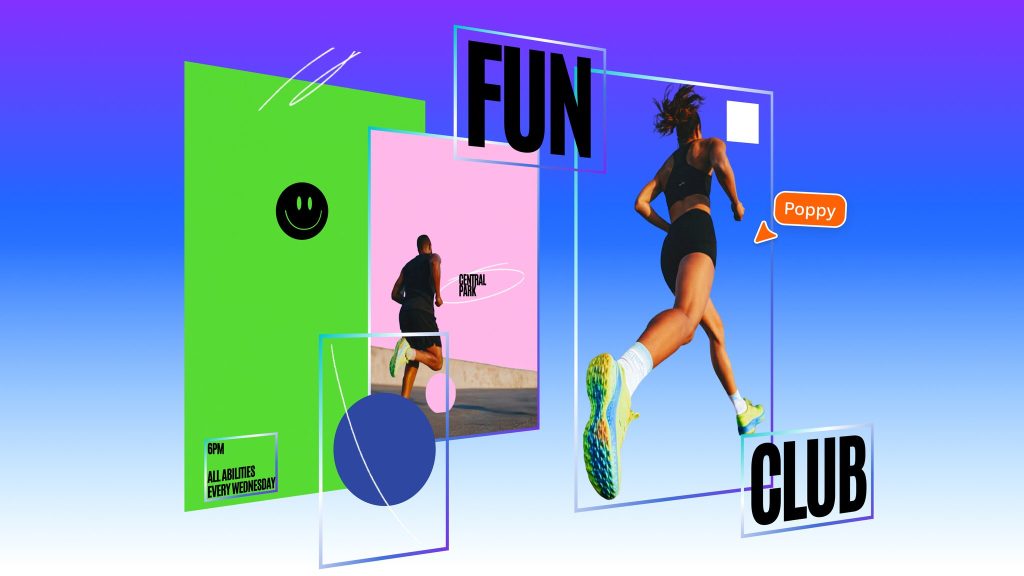
Canva is trying to solve that problem with Magic Layers, a tool that can turn a flat AI-generated image into a design with separate, editable elements.
That means text, backgrounds and objects can potentially be moved, resized or changed without asking an AI generator to recreate the entire image.
And Canva is now bringing the feature directly into ChatGPT and Google Gemini, making it easier to move from AI generation to actual editing.
From AI image to editable design
Normally, an AI-generated image arrives as a finished JPEG or PNG.
Spot a typo? Want the person moved slightly to the left? Need to change the headline?
Your options are usually to edit the image manually or regenerate it and hope the AI doesn’t change five other things at the same time.
Magic Layers takes another approach.
Canva analyzes the image and attempts to identify individual components such as text, foreground objects and backgrounds. It then rebuilds them as separate elements inside Canva.
The result is closer to an editable design file than a static AI picture.
Now connected to ChatGPT and Gemini
Canva first introduced Magic Layers earlier this year, but its expansion into ChatGPT and Gemini makes the feature considerably more useful.
Users can generate an image with an AI assistant and move it into Canva for editing rather than downloading it, uploading it again and rebuilding parts of the design manually.
Once in Canva, users can change text, adjust colors, move objects, resize elements and reformat the design for different platforms.
For anyone making social posts, ads, thumbnails or promotional graphics with AI, that could save a lot of unnecessary regeneration.
Why creators should care
The biggest weakness of AI image generation is often not making the first image.
It’s making the second one.
Anyone who has generated a nearly perfect image only to discover one bad word, a misplaced object or some other small problem knows what happens next: You ask the AI to fix one thing and it helpfully redesigns half the picture.
Magic Layers won’t perfectly separate every image, but the idea addresses a very real creator problem. I also noticed an issue with text; the font looked a little wonky (a technical term!) when I tried to upscale it.
Instead of treating AI output as the finished product, Canva is turning it into something you can actually work with.
That may not sound as flashy as another new image model.
For people who actually use AI images, though, it could be considerably more useful.