MonkeyButtAI Rating: 4.3/5 ★★★★☆
First, full disclosure: for much of my own work, I flip back and forth between Dzine and Higgsfield. However, of the two I prefer the cleaner, less cluttered interface on the Dzine site.
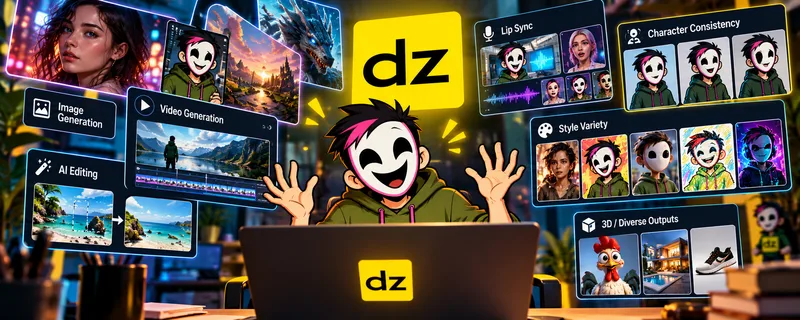
What started primarily as an AI image and design platform has turned into a surprisingly massive creative toolbox.
Images? Yep.
AI editing? Yep.
Video generation? Absolutely.
Lip-sync? Multiple people at once, if you want.
Consistent characters, style training, face swapping, image-to-3D, upscaling and enough different AI models to make choosing one feel like ordering from a restaurant with a 14-page menu? Also yes.
That enormous toolbox is simultaneously Dzine’s greatest strength and one of its weaknesses. Because Dzine can potentially replace several AI subscriptions, but once you start experimenting with the more expensive models, those innocent-looking credits can disappear alarmingly quickly.
What Is Dzine AI?
Dzine AI is an all-in-one AI visual creation platform combining image generation, editing, video generation, lip-sync and design tools.
Instead of building everything around a single AI model, Dzine gives users access to numerous models and creative tools from one interface. It’s like Higgsfield’s calmer, more organized little brother.
Depending on the feature and current availability, that includes models from major AI families such as:
- Nano Banana
- Seedream
- Midjourney
- FLUX
- Qwen
- GPT Image
- Kling
- Seedance
- Wan
- Sora
- Veo
Its bigger selling point is: Why subscribe to six different services when you can access a pile of them here?
Then Dzine wraps those models in its own editing, character, composition, enhancement and lip-sync tools. For creators who regularly jump between different AI services, that is extremely useful.
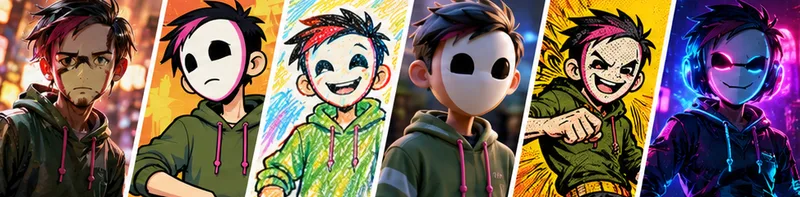
Image Generation Is Still At The Heart Of Dzine
Despite everything Dzine has added, image creation remains one of its strongest areas.
You can generate images from prompts, transform existing images, create variations and access multiple current-generation image models. And having multiple models actually matters.
One model might be excellent at photorealistic people. Another might follow complicated instructions better. Another might produce better typography.
Instead of maintaining separate subscriptions or accounts, you can switch models inside Dzine.
This is especially useful for experimentation. If Nano Banana isn’t understanding what you want, try Seedream. Still wrong? Just try another model.
Eventually one of the robots may understand what you meant by “DO NOT ADD AN EXTRA %&#!ing ARM.”
Dzine Is More Than A Prompt Box
This is where Dzine becomes more interesting than a basic AI image generator.
The platform includes actual visual editing and composition tools.
You can:
- Remove backgrounds
- Remove unwanted objects
- Insert objects
- Expand images
- Repair faces
- Repair hands
- Change expressions
- Create variations
- Separate objects into layers
- Upscale images
- Train styles
- Create consistent characters
- Reuse assets across projects
Dzine also uses a layer-based composition board, allowing you to position visual elements before using AI to blend or transform them.
For creators producing thumbnails, social posts, character art, product images or marketing graphics, these editing tools can sometimes be more valuable than another image-generation model.
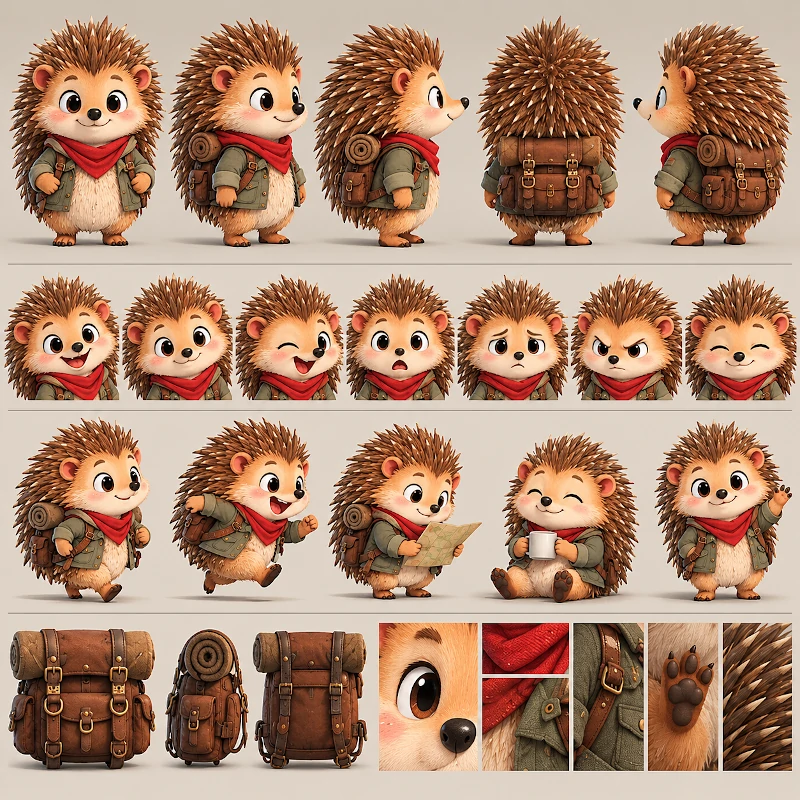
Consistent Characters Are A Big Deal
Character consistency remains one of generative AI’s most irritating problems.
Yes, Dzine isn’t perfect. You can still get a different nose, or hair style, if you’re not careful. But the model is really good at helping avoid that.
Dzine includes character training designed to maintain the appearance of recurring characters. In fact, doing the initial character design in ChatGPT and then creating the consistent character for other images, comics or videos, has proven to be extremely good for me.
Paid plans can store private characters, with higher tiers substantially increasing the number you can maintain.
This has obvious applications for:
- YouTube creators
- AI influencers
- Comics
- Storytelling
- Children’s content
- Advertising characters
- Games
- Short films
- Social media series
There are still limitations. No generative AI system completely eliminates character drift, particularly when poses, lighting, clothing and camera angles change dramatically. As with any AI generation, study what is produced so you can catch any mistakes and fix them.
But having character consistency integrated into the same environment where you’re creating and editing the images makes the workflow considerably easier.
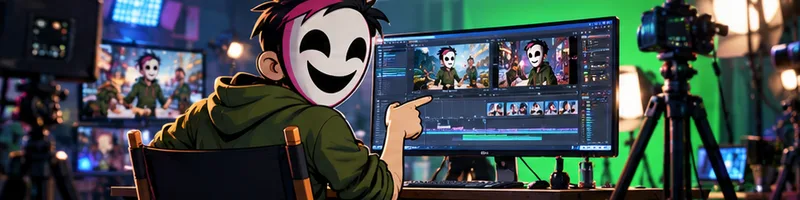
Video Generation: Welcome To The Buffet
Dzine’s video section follows essentially the same philosophy as its image tools. Instead of betting everything on one video generator, it provides access to multiple models.
Depending on current availability and plan, Dzine supports numerous video-generation options including models from families such as Kling, Seedance, Wan, Sora and others.
You can create video from:
- Text prompts
- Images
- Reference images
- Start and end frames
- Multiple key frames
And Dzine continues adding new models surprisingly quickly. That’s useful because AI video models have very different personalities. Some are great at realistic movement, but suck at camera tracking or panning.
Any Frame To Video Is Particularly Interesting
One of Dzine’s more interesting tools lets you provide multiple key frames and determine where they should appear within a generated video. of course, this is model dependent; not every model will give you this option (but that is true regardless of site, as it depends on how the model itself was set up).
For the right models, Dzine currently supports up to six key frames.
That potentially gives creators more control over where a video is supposed to go instead of simply supplying one starting image and hoping the AI reaches the desired destination.
Lip-Sync Is One Of Dzine’s Most Interesting Features
Dzine has invested heavily in AI lip-sync, and it shows.
Unlike many tools that concentrate primarily on a single talking head, Dzine supports multiple characters. Its Multi-Character Lip Sync tool can animate up to four faces within the same scene.
That’s potentially very useful for:
- AI podcasts
- Animated conversations
- Short films
- Comedy sketches
- Educational videos
- AI characters
- Localization
- Social content
Creating a conversation between several AI characters normally requires generating or processing each speaker separately and then assembling everything afterward.
Lip-Sync Results Can Be Inconsistent
Some users report excellent results from Dzine’s lip-sync, including realistic mouth movement and surprisingly convincing multi-character conversations.
Others report the exact opposite.
Complaints include unwanted body movement, poor synchronization, inconsistent animation and expensive failed generations.
Does it look real? Usually, but not always. If there is background noise or music, the AI can get confused and add lip movement when it shouldn’t. And you’ll get better results with “real” human characters than animated; sometimes the animated mouths will include disintegrating or liquid teeth. UGH!!!!!
That’s the frustrating reality of current AI video. So, Dzine provides impressive tools, but it does not provide immunity from AI doing something stupid.

Now About Those Credits…
Here comes the less exciting part.
Dzine uses credits. Different tools and models consume wildly different amounts. A relatively simple image operation might consume only a handful. A premium image generation might cost considerably more.
Video can devour them.
For example, Dzine’s current pricing table lists Seedance 1.5 Pro 720p at 24 credits for five seconds, while Seedance 2.0 1080p can cost 550 credits for the same five seconds.
That’s a rather spectacular difference.
This makes experimentation costly. And failed generations make this particularly painful.
However, before you generate, you are told what it will cost you. You can then cycle through other models and see if something is cheaper for what you are looking to accomplish.
Oh, and if you haven’t used Dzine for several months, there is a major change. before, image and video credits were different. They recently combined them both, so there is now one credit wallet (not two).
Unlimited Images Come With An Asterisk
Dzine’s Master and Master Pro plans currently advertise unlimited access to numerous image models.
That sounds excellent. And for prolific image creators, it could substantially change the value proposition.
But “unlimited” operates under Dzine’s Fair Usage Policy. Dzine specifically says unlimited generation is intended for reasonable human-operated creative workflows rather than automated, scripted or extremely high-volume generation.
The company reserves the ability to restrict usage that places disproportionate demand on its systems.
So: Unlimited? Yes.
Build yourself an automated robot factory generating 900,000 pictures of penguins wearing business suits? Probably not.
Pricing
Current monthly pricing starts at:
| Plan | Monthly Price | Credits |
|---|---|---|
| Free | $0 | Limited free credits |
| Beginner | $8.99 | 1,000/month |
| Creator | $24.99 | 6,000/month |
| Master | $59.99 | 9,000/month + unlimited supported image models |
| Master Pro | $149.99 | 30,000/month + unlimited supported image models |
Free Plan
Dzine does let you experiment before paying.
New accounts currently receive 100 free credits, and Dzine advertises a small allocation of refreshed daily credits. That’s enough to explore the interface and test some basic features.
Don’t expect to spend all afternoon generating premium video for free.
And this is important: Free-tier creations are for personal rather than commercial use under Dzine’s current terms.
Commercial Use
This part is relatively straightforward.
Dzine states that users on paid plans can use generated content commercially, subject to applicable law and its terms.
Free-tier users are limited to personal projects.
If you’re creating monetized YouTube content, client work, advertising, commercial social media or products, a paid subscription is therefore the practical starting point.
And remember:
AI platforms granting commercial usage rights doesn’t magically erase copyright, trademark or publicity rights belonging to other people.
You still need to have the right to use whatever source material you’re uploading.
What Do Actual Users Say?
Current Trustpilot reviews are extremely polarized.
At the time of this review, Dzine sits around 2.9/5, but the distribution is unusual: large numbers of users give either five stars or one star, with relatively little sitting comfortably in the middle.
Positive reviewers frequently praise:
- The huge selection of AI models
- Character consistency
- Ease of use
- Image tools
- Lip-sync
- Having multiple creative tools in one subscription
- Frequent additions and updates
Negative reviews frequently complain about:
- Credits consumed by bad or failed generations
- Lip-sync inconsistencies
- Generation delays
- Customer support
- Subscription renewals
- Refund policies
- Fair-use restrictions
That split actually makes sense. Dzine is extremely appealing when everything works, but the platform combines expensive generative technologies with a credit system, and AI doesn’t always cooperate.
There’s another issue worth knowing before subscribing: Dzine’s payments are generally non-refundable. Its current pricing terms state that monthly and annual subscription payments are non-refundable, including unused subscription periods and accidental purchases.
What We Like
Huge selection of AI models
Excellent all-in-one workflow
Strong image editing tools
Character consistency
Multi-character lip-sync
Regular model updates
Commercial rights on paid plans
Unlimited image generation on higher plans
What We Don’t Like
Credits can disappear quickly
Failed experiments will still cost you (but this is true with most sites)
The credit system is complicated
Lip-sync isn’t consistently brilliant
Refund policy is strict
Unlimited isn’t literally unlimited
Our Score
| Category | Rating |
|---|---|
| Image generation | 4.6/5 |
| Image editing & control | 4.6/5 |
| Model selection | 4.8/5 |
| Character consistency | 4.5/5 |
| Video generation | 4.3/5 |
| Lip-sync | 4.3/5 |
| Ease of use | 4.4/5 |
| Value | 4.4/5 |
| Credit system | 3.7/5 |
| Overall | 4.3/5 |
The Verdict
Dzine AI has quietly become one of the more interesting all-in-one AI creative platforms.
You get a large collection of current image and video models alongside editing, character consistency, lip-sync, enhancement and design tools without constantly bouncing between different websites.
For creators, that’s genuinely valuable.
Particularly interesting are the image editing tools, consistent characters and multi-character lip-sync.
But don’t mistake convenience for perfection. AI generations still fail. Video can consume credits alarmingly quickly. Lip-sync results aren’t universally consistent.
And Dzine’s no-refund policy means you should absolutely use the free credits to test the platform before committing to a long subscription.
Recommended?
Yes, particularly for creators who use several different types of generative AI.